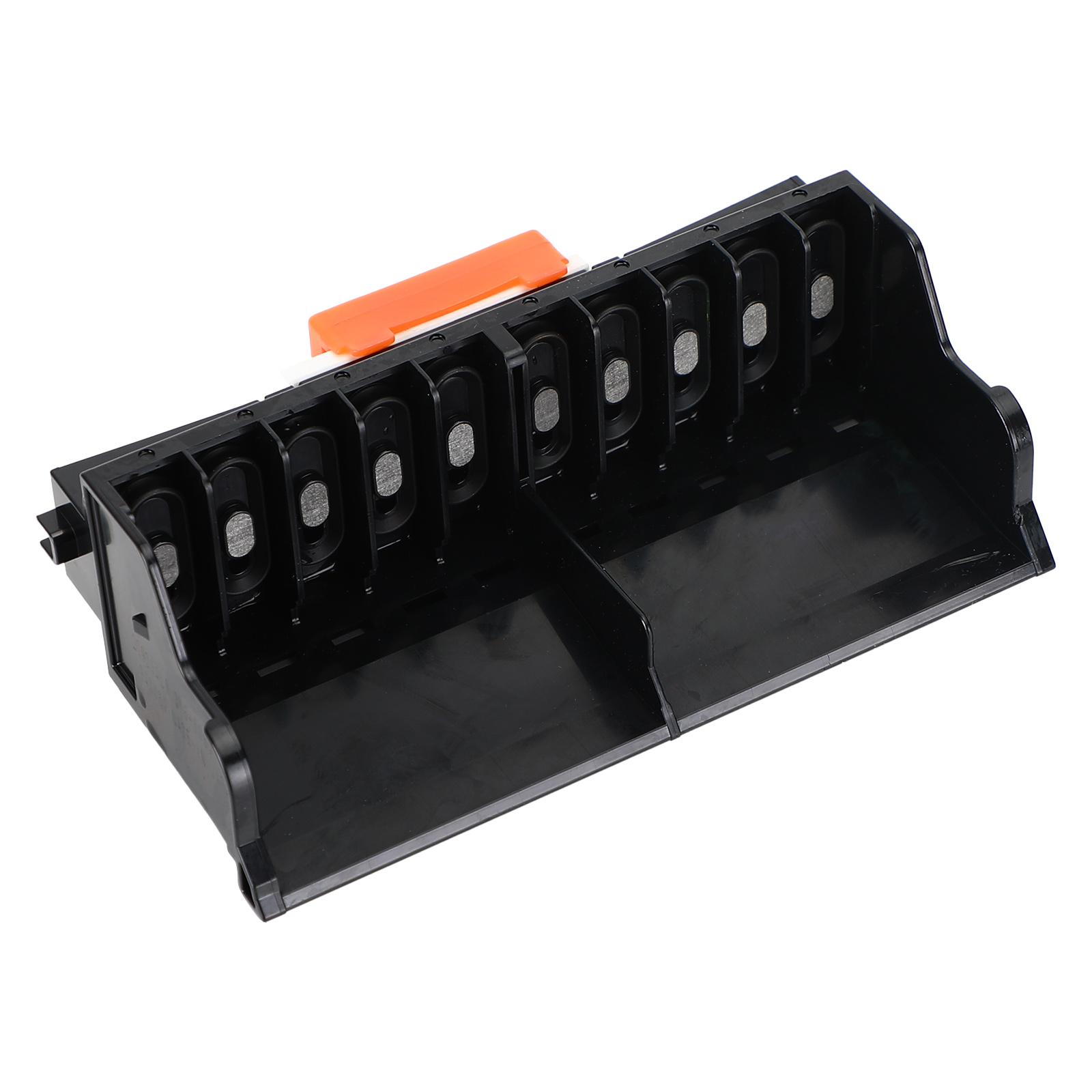
🖨️ Refurbished QY6-0085 Printhead
✅ OEM Replacement: Perfect fit for Canon Pro10 / Pro-10 printers 🖨️
🔄 Refurbished & Tested: Cleaned, sealed, and ready for reliable performance ✔️
🎨 Full-Color Output: Vivid color accuracy for professional photo results 🌈
💎 High-Quality Build: 95% like-new, durable and stable 🧩
🛡️ Warranty Included: 1-Year Warranty + Lifetime Support 📦


📦 What's Included
1 × QY6-0085 Refurbished Printhead
Tested, Sealed, Ready to Use
🚚 Shipping & Warranty
Free Shipping: Fast delivery within 3–8 business days
60-Day Returns: Return accepted within 60 days of delivery
Support: Lifetime customer service and replacement assistance
⚠️ Important Notes Before Installation
- Turn Off Power Before Installation: Always turn off the printer’s power before installing the printhead to avoid damaging the mainboard. 🔌
- Initial Run-In Period: After installing the printhead, do not install the ink ribbon immediately. First print at least 10 A4 pages to allow proper run-in. Then install the ribbon. 📄
- Check for Previous Damage: If your original printhead was leaking ink or damaged, the mainboard might already be affected. Please inspect and confirm the mainboard is working before replacing. 🛠️
- Fuse Replacement Caution: If replacing a fuse (F1 or F2) on the mainboard, use only the same model and current rating. Using incorrect fuses may damage both the printhead and the mainboard. ⚡
- Professional Installation Recommended: Printheads are delicate and costly. Incorrect installation can cause permanent damage. If you're not confident, seek help from a technician or service center. 🚫
⚠️ Before You Install – Please Read Carefully
-
Do NOT Inject Water into the Printhead: Never use a syringe to flush the printhead with water. This can:
- Wash away the factory-applied protective fluid
- Introduce air blockages
- Cause short circuits if powered on while wet
- Power Off Before Installation: Always turn off the power before installing the printhead. Ensure the printhead is firmly and correctly seated. 🔌
- Clean, Dry Cable Connections: Avoid any ink or moisture on the cable plug or socket. Ensure secure, clean connections to prevent contact failure. 🔗
- Lubricate the Steel Shaft Properly: Wipe the shaft with a paper towel dipped in a small amount of lubricant. Do not pour oil directly—excess oil can damage the printhead. 🛠️
-
Check Ink System:
- Ensure ink cartridges are not empty
- Check the cleaning blade and suction pump for dirt or clogs 🧽
-
Initial Printhead Air Discharge Process: New printheads contain air and may not print clearly at first. To remove trapped air:
- Use the printer’s cleaning function twice
- Wait 30 minutes, then clean twice again
- Avoid excessive cleaning—it may cause ink mixing, leaks, or waste
- Print full-color images to help discharge air naturally 🖨️
✅ Pro Tip: If you’re not confident with installation, it’s strongly recommended to have a technician perform the replacement to avoid damage or voided warranty.
❓ FAQ
Yes! It’s designed for Canon Pro10 / Pro-10 and replaces OEM QY6-0085.
If you’re experienced with printer hardware, yes. Otherwise, we recommend professional installation to avoid damage.
Use the printer’s cleaning function twice, wait 30 minutes, and repeat. Do not inject water or over-clean.
🖨️ Refurbished QY6-0085 Printhead
✅ OEM Replacement: Perfect fit for Canon Pro10 / Pro-10 printers 🖨️
🔄 Refurbished & Tested: Cleaned, sealed, and ready for reliable performance ✔️
🎨 Full-Color Output: Vivid color accuracy for professional photo results 🌈
💎 High-Quality Build: 95% like-new, durable and stable 🧩
🛡️ Warranty Included: 1-Year Warranty + Lifetime Support 📦
📦 What's Included
1 × QY6-0085 Refurbished Printhead
Tested, Sealed, Ready to Use
🚚 Shipping & Warranty
Free Shipping: Fast delivery within 3–8 business days
60-Day Returns: Return accepted within 60 days of delivery
Support: Lifetime customer service and replacement assistance
⚠️ Important Notes Before Installation
- Turn Off Power Before Installation: Always turn off the printer’s power before installing the printhead to avoid damaging the mainboard. 🔌
- Initial Run-In Period: After installing the printhead, do not install the ink ribbon immediately. First print at least 10 A4 pages to allow proper run-in. Then install the ribbon. 📄
- Check for Previous Damage: If your original printhead was leaking ink or damaged, the mainboard might already be affected. Please inspect and confirm the mainboard is working before replacing. 🛠️
- Fuse Replacement Caution: If replacing a fuse (F1 or F2) on the mainboard, use only the same model and current rating. Using incorrect fuses may damage both the printhead and the mainboard. ⚡
- Professional Installation Recommended: Printheads are delicate and costly. Incorrect installation can cause permanent damage. If you're not confident, seek help from a technician or service center. 🚫
⚠️ Before You Install – Please Read Carefully
-
Do NOT Inject Water into the Printhead: Never use a syringe to flush the printhead with water. This can:
- Wash away the factory-applied protective fluid
- Introduce air blockages
- Cause short circuits if powered on while wet
- Power Off Before Installation: Always turn off the power before installing the printhead. Ensure the printhead is firmly and correctly seated. 🔌
- Clean, Dry Cable Connections: Avoid any ink or moisture on the cable plug or socket. Ensure secure, clean connections to prevent contact failure. 🔗
- Lubricate the Steel Shaft Properly: Wipe the shaft with a paper towel dipped in a small amount of lubricant. Do not pour oil directly—excess oil can damage the printhead. 🛠️
-
Check Ink System:
- Ensure ink cartridges are not empty
- Check the cleaning blade and suction pump for dirt or clogs 🧽
-
Initial Printhead Air Discharge Process: New printheads contain air and may not print clearly at first. To remove trapped air:
- Use the printer’s cleaning function twice
- Wait 30 minutes, then clean twice again
- Avoid excessive cleaning—it may cause ink mixing, leaks, or waste
- Print full-color images to help discharge air naturally 🖨️
✅ Pro Tip: If you’re not confident with installation, it’s strongly recommended to have a technician perform the replacement to avoid damage or voided warranty.
❓ FAQ
Yes! It’s designed for Canon Pro10 / Pro-10 and replaces OEM QY6-0085.
If you’re experienced with printer hardware, yes. Otherwise, we recommend professional installation to avoid damage.
Use the printer’s cleaning function twice, wait 30 minutes, and repeat. Do not inject water or over-clean.