Please have installation done by a qualified technician — improper handling may damage the printhead or mainboard.
Do not inject water or remove protective liquid before use.
Check your printer’s mainboard, data cable, and ink system before replacing.
Inspect the item upon delivery. If damaged, refuse receipt and contact the seller immediately.
Once the warranty label is removed or the printhead is disassembled, returns and exchanges are void.
⚙️ Technical Notes
If ink has leaked before the printhead failed, it may have also damaged the motherboard.
Always check and confirm the mainboard condition before installing a new printhead.
Replace F1 and F2 fuses with original parts only.
Use original model pair tubes — different types can burn out the printhead or board.
🧩 Before You Buy or Install a Printhead
Check the error source: A flashing red light may indicate a mainboard or frame issue, not the printhead.
Mainboard check: If both mainboard and printhead are damaged, replace the mainboard first.
Inspect the data cable: Look for splitting, corrosion, or burn marks.
Old or dirty machines: In many cases, replacing the whole printer may be more economical.
Use quality ink: Poor ink systems cause clogs or leaks. High-quality ink protects your new printhead.
Keep the warranty intact: Don’t tamper with the warranty seal or disassemble the printhead.
🖨️ Precautions When Replacing the Printhead
💧 Do Not Inject Water or Remove Protective Fluid: Can cause internal damage not covered by warranty.
🧤 Handle With Care: The surface is delicate. Even a small bump can ruin it.
⚡ Power Off Before Installation: Gently move the carriage by hand before turning the printer back on.
🔌 Keep Cable Clean and Dry: Ink on connectors can short-circuit and damage the printhead.
🧽 Clean Shaft with Light Lubrication: Don’t over-oil; it could drip into the head.
🩸 Check Ink & Cleaning Parts: Make sure ink is full, and cleaning blade/pump are clean.
🌬️ Release Air After Installation: Clean twice only, then rest 30 min before repeating.
🚚 Shipping & Warranty
✅ Free fast shipping to USA (3–8 business days) ✅ 60-day return window from delivery date ✅ One-year product warranty ✅ Friendly, responsive support team
❓ FAQ
How do I know if I need a new printhead?
If you're seeing blurry prints, missing colors, or repeated cleaning cycles, it's worth inspecting the printhead.
Will this fit my printer model?
Yes, if your model matches any listed in the compatibility section. Still unsure? Send us a quick message.
Can I install it myself?
We recommend a qualified technician for installation to prevent accidental damage. DIY at your own risk.
What if it doesn’t work?
You're covered by a one-year warranty and our 60-day return policy. We’ll help troubleshoot or refund.
Please have installation done by a qualified technician — improper handling may damage the printhead or mainboard.
Do not inject water or remove protective liquid before use.
Check your printer’s mainboard, data cable, and ink system before replacing.
Inspect the item upon delivery. If damaged, refuse receipt and contact the seller immediately.
Once the warranty label is removed or the printhead is disassembled, returns and exchanges are void.
⚙️ Technical Notes
If ink has leaked before the printhead failed, it may have also damaged the motherboard.
Always check and confirm the mainboard condition before installing a new printhead.
Replace F1 and F2 fuses with original parts only.
Use original model pair tubes — different types can burn out the printhead or board.
🧩 Before You Buy or Install a Printhead
Check the error source: A flashing red light may indicate a mainboard or frame issue, not the printhead.
Mainboard check: If both mainboard and printhead are damaged, replace the mainboard first.
Inspect the data cable: Look for splitting, corrosion, or burn marks.
Old or dirty machines: In many cases, replacing the whole printer may be more economical.
Use quality ink: Poor ink systems cause clogs or leaks. High-quality ink protects your new printhead.
Keep the warranty intact: Don’t tamper with the warranty seal or disassemble the printhead.
🖨️ Precautions When Replacing the Printhead
💧 Do Not Inject Water or Remove Protective Fluid: Can cause internal damage not covered by warranty.
🧤 Handle With Care: The surface is delicate. Even a small bump can ruin it.
⚡ Power Off Before Installation: Gently move the carriage by hand before turning the printer back on.
🔌 Keep Cable Clean and Dry: Ink on connectors can short-circuit and damage the printhead.
🧽 Clean Shaft with Light Lubrication: Don’t over-oil; it could drip into the head.
🩸 Check Ink & Cleaning Parts: Make sure ink is full, and cleaning blade/pump are clean.
🌬️ Release Air After Installation: Clean twice only, then rest 30 min before repeating.
🚚 Shipping & Warranty
✅ Free fast shipping to USA (3–8 business days) ✅ 60-day return window from delivery date ✅ One-year product warranty ✅ Friendly, responsive support team
❓ FAQ
How do I know if I need a new printhead?
If you're seeing blurry prints, missing colors, or repeated cleaning cycles, it's worth inspecting the printhead.
Will this fit my printer model?
Yes, if your model matches any listed in the compatibility section. Still unsure? Send us a quick message.
Can I install it myself?
We recommend a qualified technician for installation to prevent accidental damage. DIY at your own risk.
What if it doesn’t work?
You're covered by a one-year warranty and our 60-day return policy. We’ll help troubleshoot or refund.
You may also like
You may also like
Join Our Community
Subscribe to get special offers, free giveaways, and equipment maintenance tips.
Availability
Anonymous
Fast Shipping and Safe Delivery
It arrived in just two days, very well-packed in a sturdy box with no damage. I was impressed by the careful packaging, it felt like they really cared about the product arriving safely.
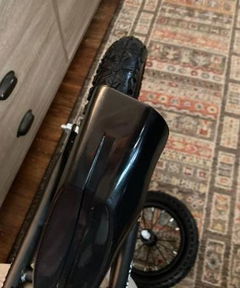
Scooter for kids with dual braking system 12 inch
Anonymous
Encourages Independent Play
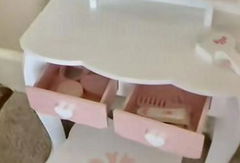
As a busy parent, I value toys that keep her engaged. She can happily play by herself, organizing her ‘treasures’ in the jewelry box. It gives me a little break while she develops her own little stories.
Kid Vanity Table Stool Set Dressing Mirror Pink/White
Anonymous
Beautifully Simple Aesthetics
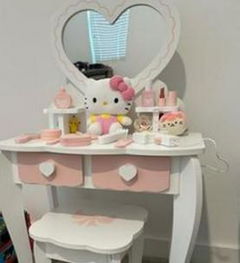
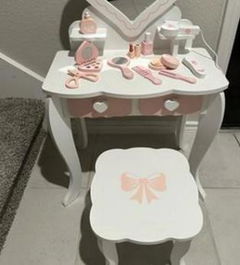
The pink and white color scheme is sweet without being overwhelming. It looks charming in her room and doesn’t feel like an eyesore. A very tasteful toy design.
Kid Vanity Table Stool Set Dressing Mirror Pink/White
Anonymous
Dream Gift Arrived Perfectly
We requested the brown paper packaging as noted, and it arrived without any damage. The unboxing felt special, like opening a proper gift. My daughter's gasp when she saw it was priceless.
Kid Vanity Table Stool Set Dressing Mirror Pink/White
Anonymous
Simple Design, Fewer Distractions
I chose this non-electric scooter to encourage more physical activity and outdoor play.Great!